Nothing hidden.
Open lock: yours to set. Closed lock: fixed by your plan or risk mode. The settings panel further down explains all 55 in plain English.
Orion
The EA
Orion Gold Scalper V5.2 for MetaTrader 5. Everything here is taken from the EA’s own inputs and code, and from the settings panel further down this page. The panels below are drawings, not screenshots.
Open lock: yours to set. Closed lock: fixed by your plan or risk mode. The settings panel further down explains all 55 in plain English.
A preset that changes several inputs at once: Safe, Balanced, Aggressive or Fast scalping, plus Beast and Custom on Lifetime. Your plan decides which you can pick.
New trades open only inside the Asian, London or New York session. London is on every plan; Asian and New York depend on yours.
Every trade opens with its stop loss and take profit already attached, and Orion never moves the stop. If one stop hits, the whole basket closes. Hit the daily loss limit or the drawdown cap and Orion stops opening trades.
Your MT5 terminal makes its own installation ID. A new device waits for your approval in the portal; once approved, the EA asks the Orion server again and new entries unlock.
Every position Orion opens is tagged with its magic number. It counts, manages and closes only its own. A trade you placed by hand, or another EA’s, is left alone.
Auto trades both ways. Buy only and sell only hold it to one side and need Premium or Lifetime. Off stops new trades opening, on every plan.
The values behind these panels change with your plan and risk mode — the settings panel explains every one, and what each plan really gets.
The platform
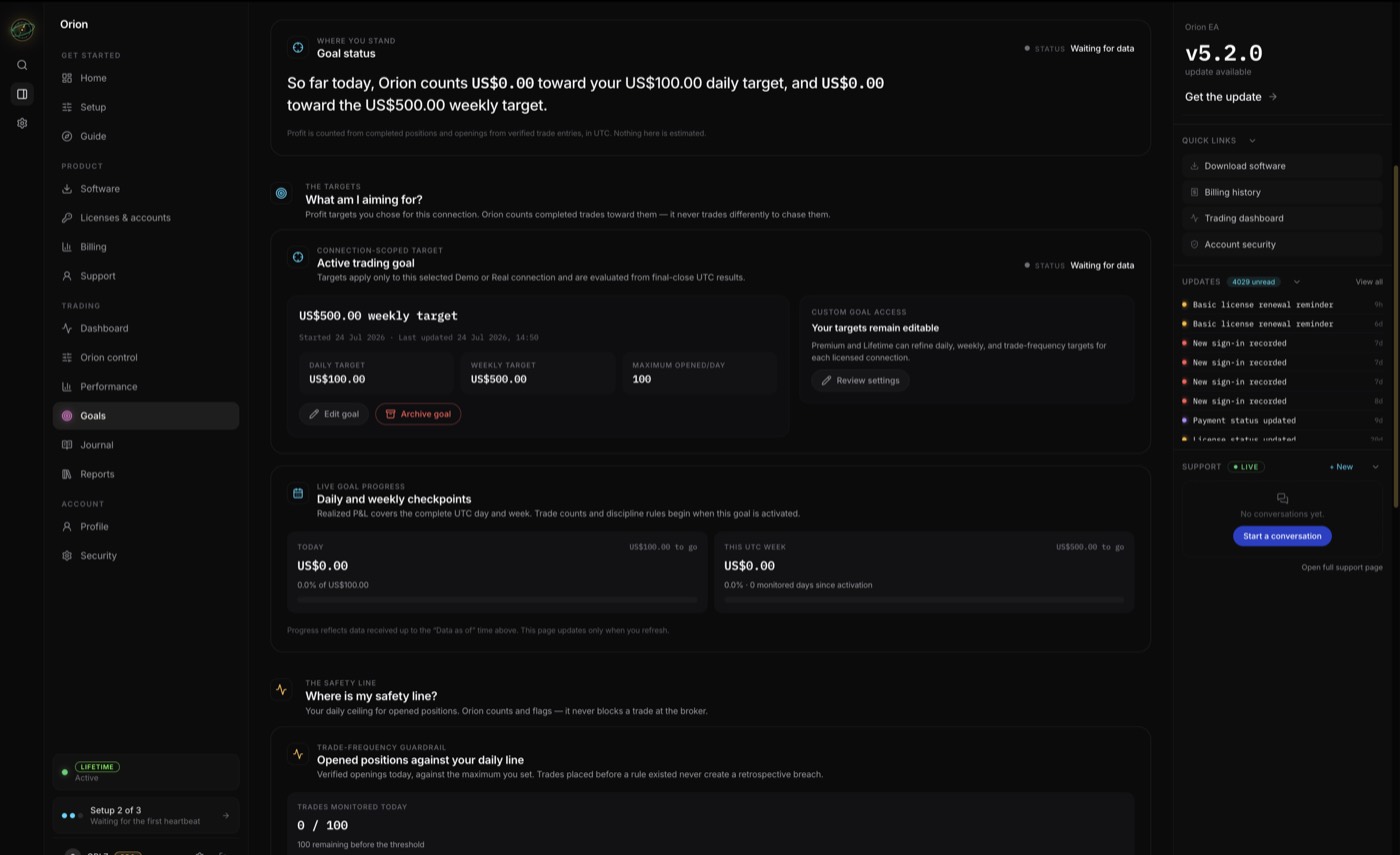
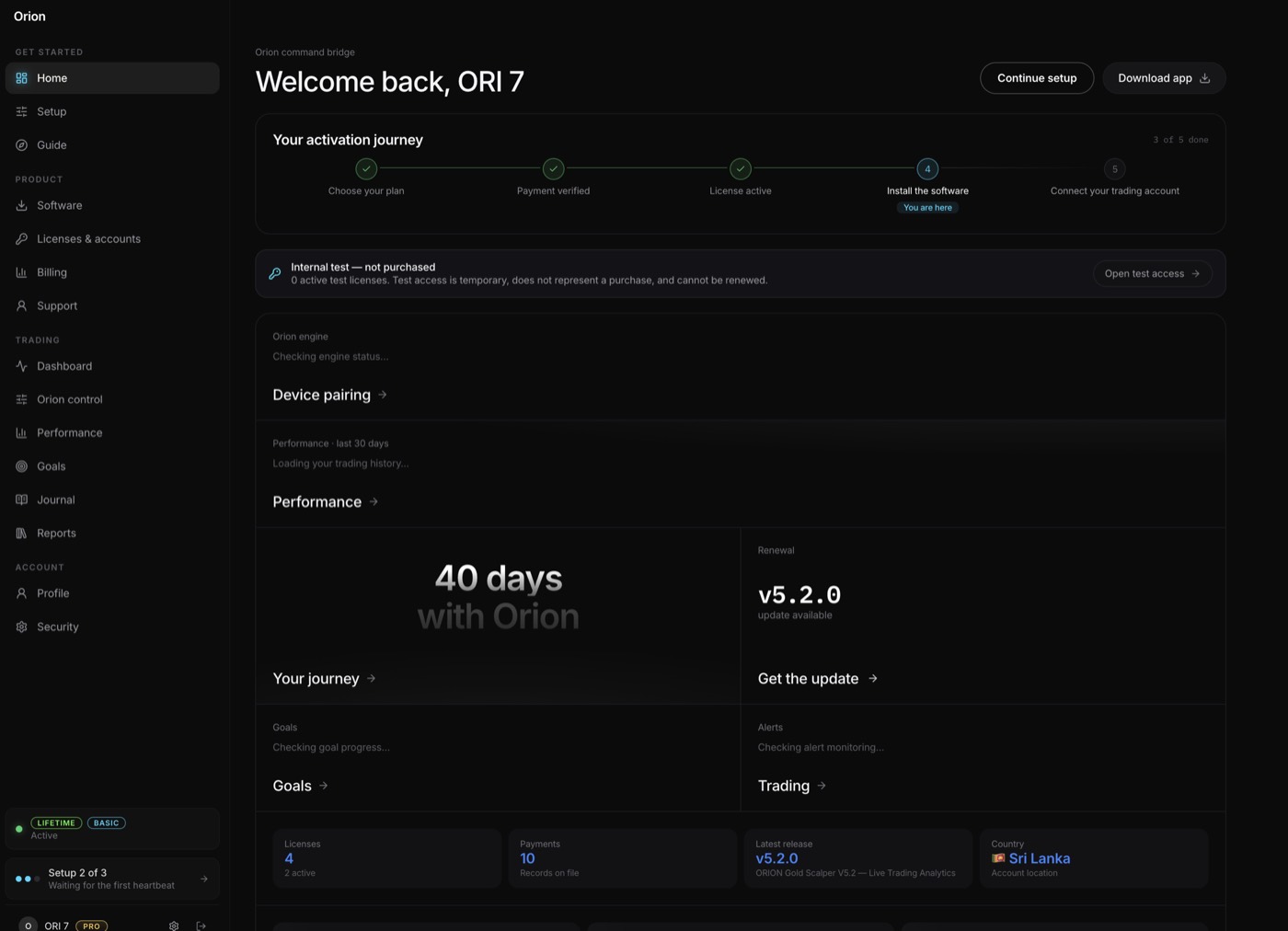
Every panel below is a real part of the client portal, not an illustration of one.
Equity
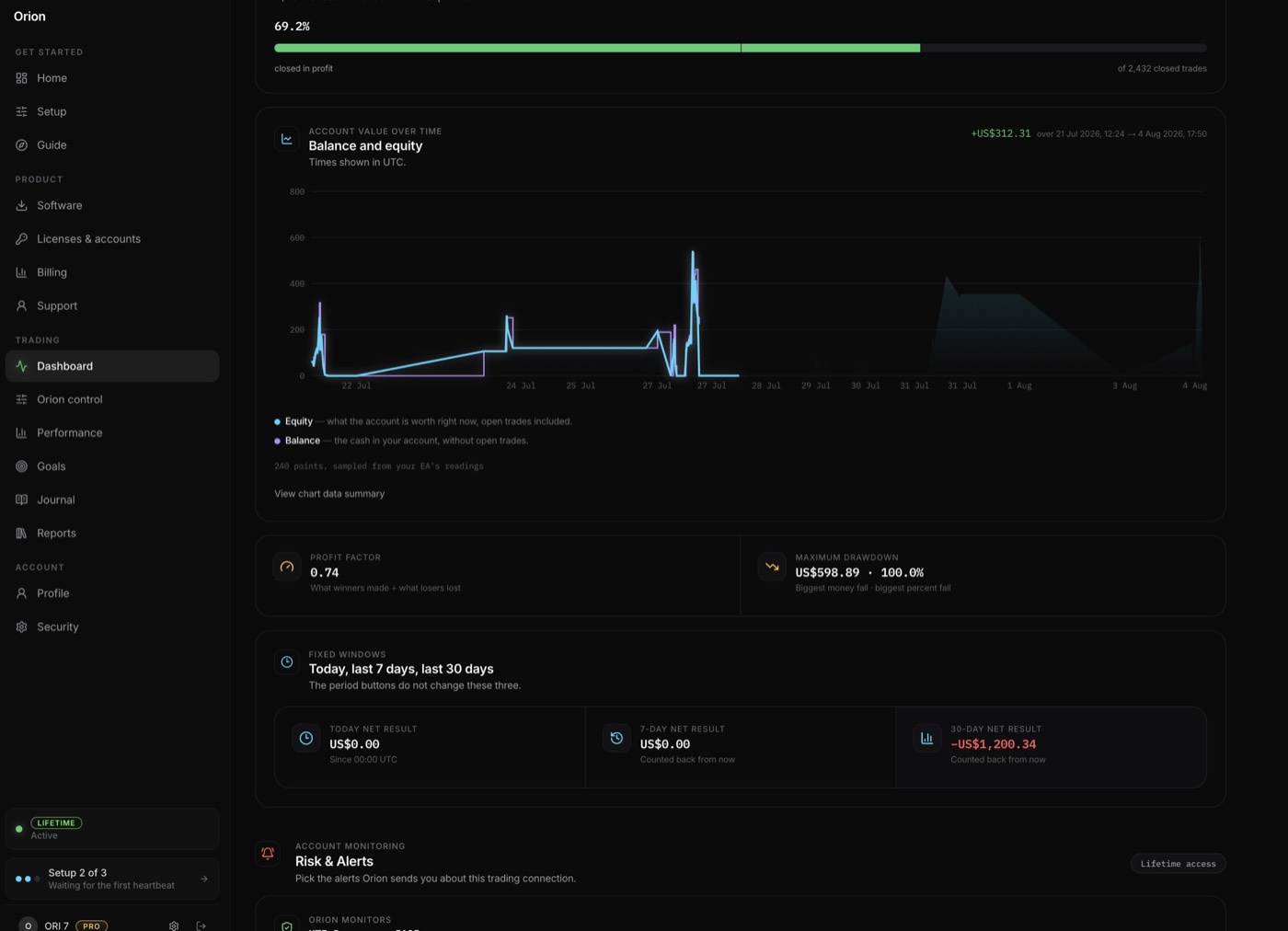
$10,213.60↗ 2.1%
Compared to $10,000.00 balance · MT5 41597512
Balance, equity and open trades, updating while the EA works.
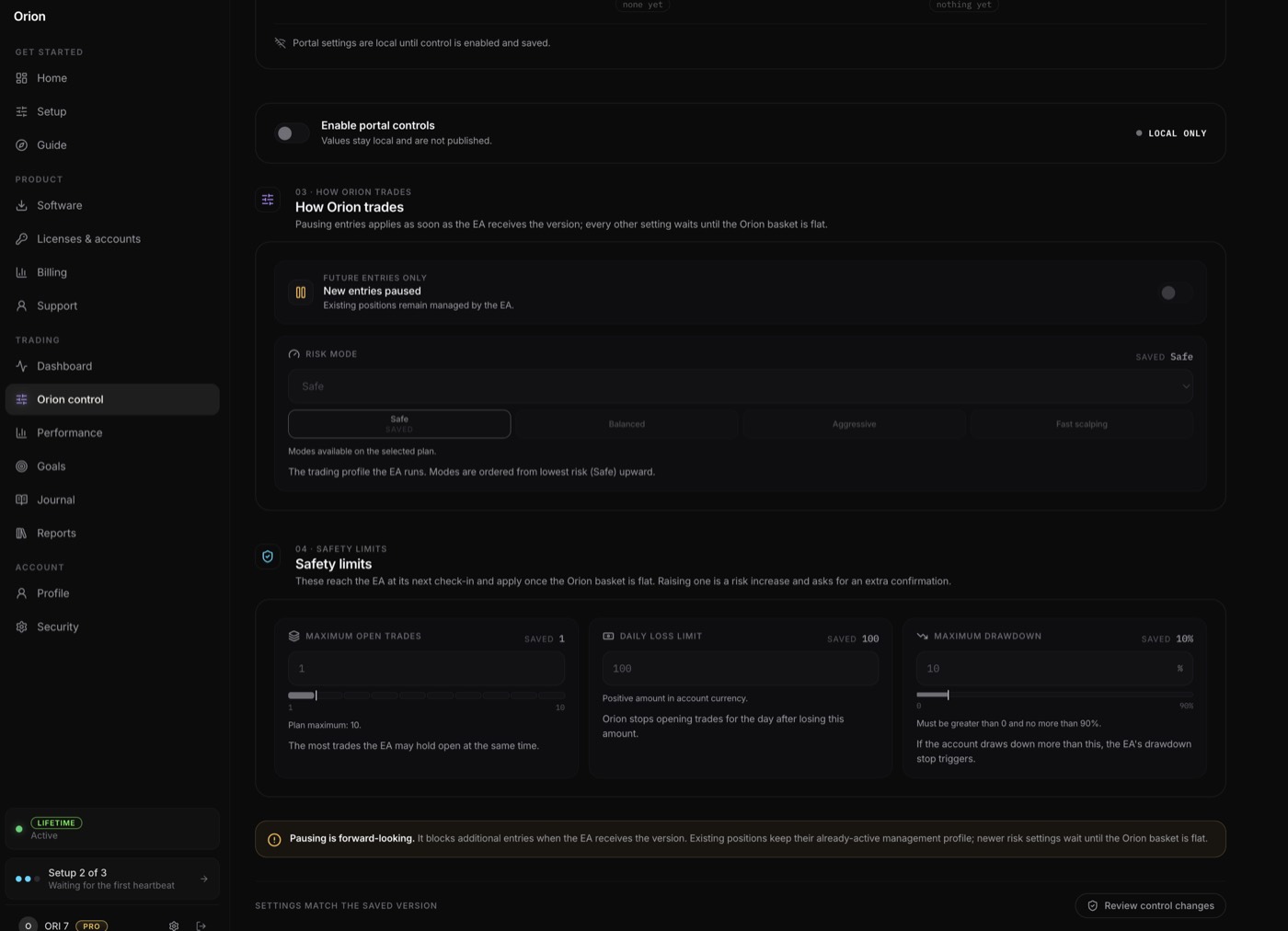
Risk mode Saved Safe
SafeRuns now
BalancedNeeds Premium
AggressiveNeeds Lifetime
Fast scalpingNeeds Lifetime
Safety limitsSaved Open trades 2 Daily loss $150 Drawdown 15%
Four presets on the gauge; Lifetime adds Beast and Custom. Each sets its own stop, target, lot and daily limits. The figures above are the preset’s own limits — on Basic and Premium the plan caps drawdown instead, at 50% and 60%.
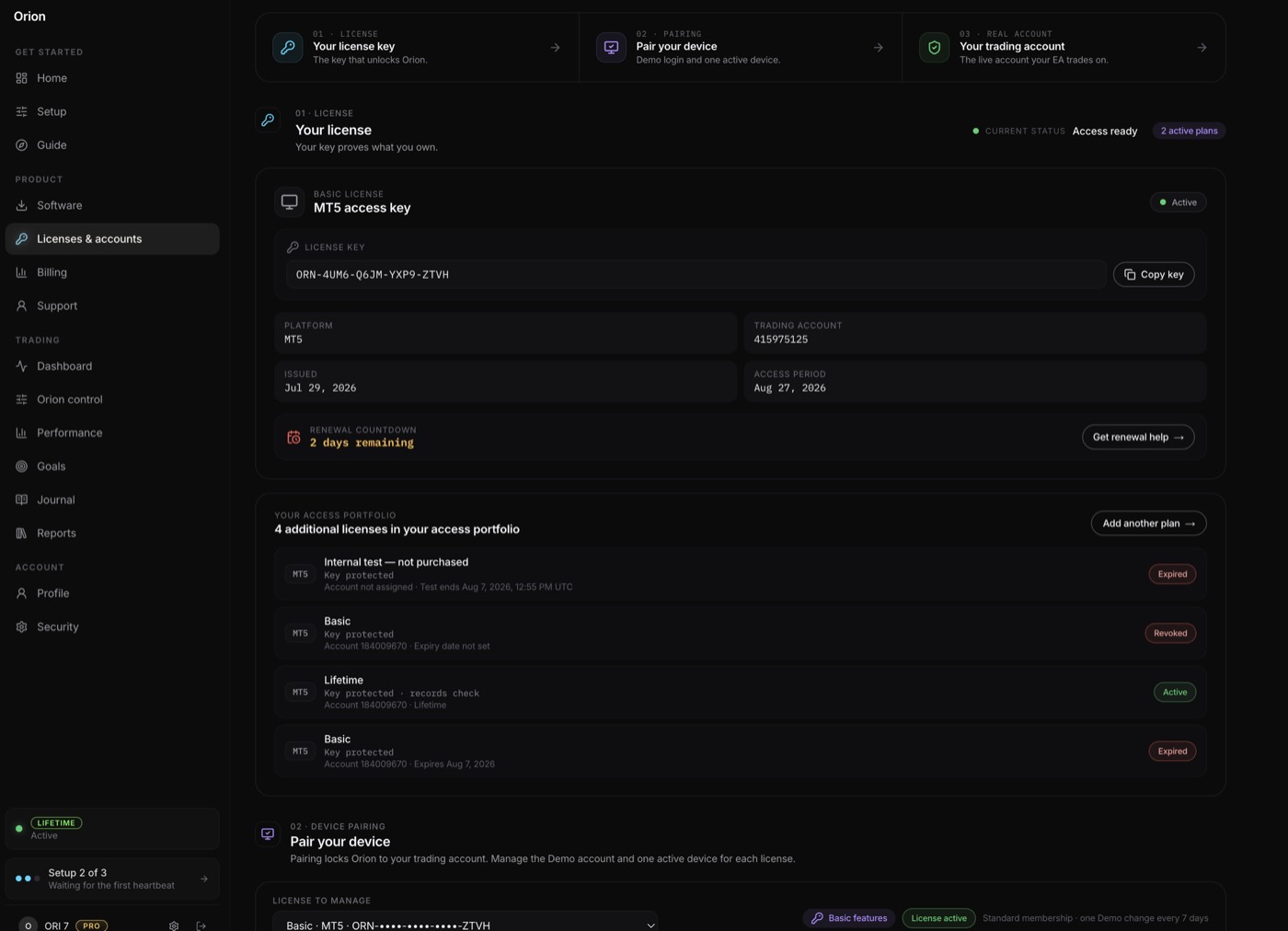
ORN-4UM6-Q6JM-••••
MacBook ProPaired
Windows VPSWaiting
One key, one device. New ones wait for your approval.
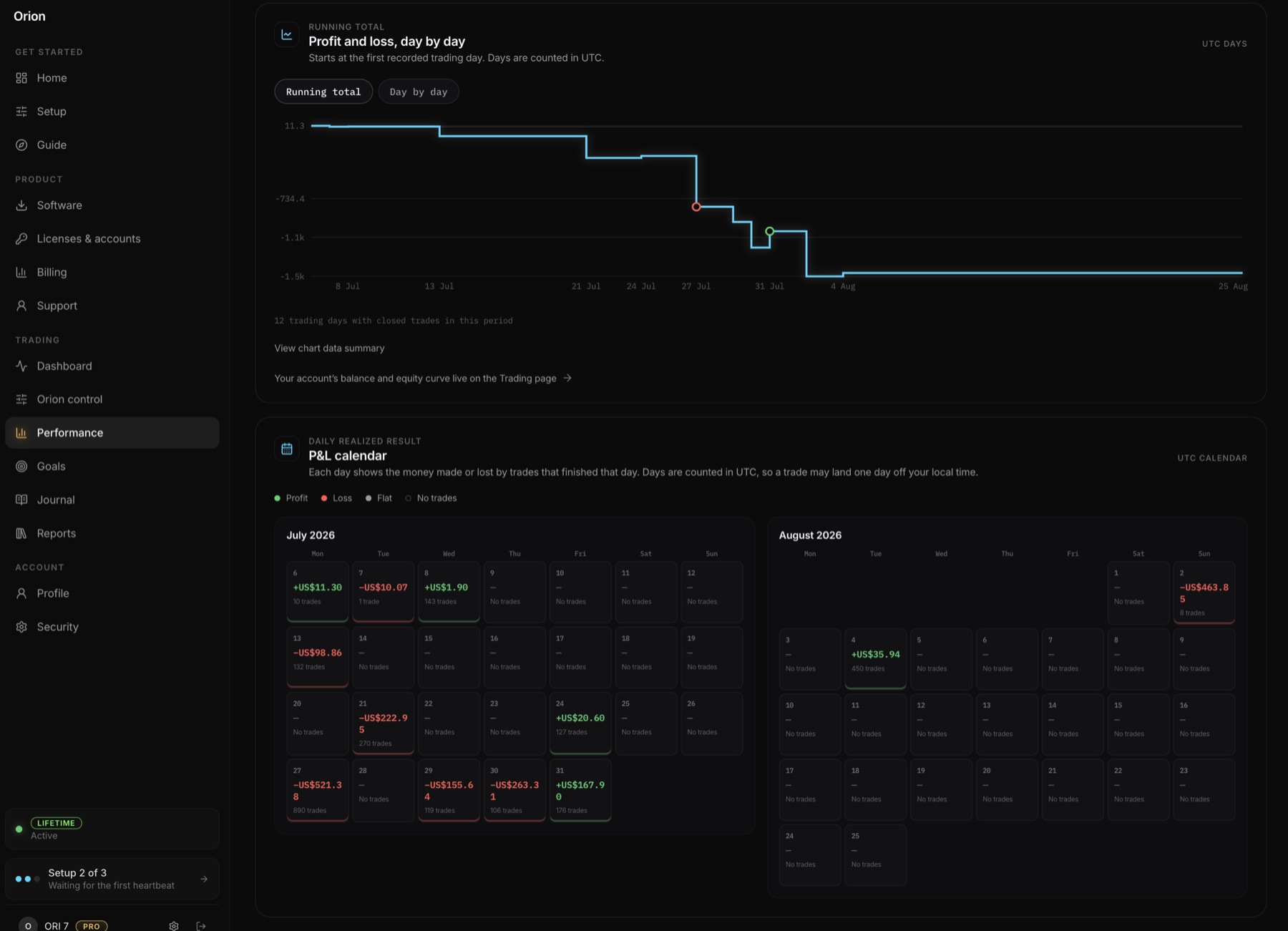
Every day marked profit, loss or flat. Export as CSV.
24/7checkout, payment and licensing — automatic
Pay, confirm, and your licence is issued on the spot.
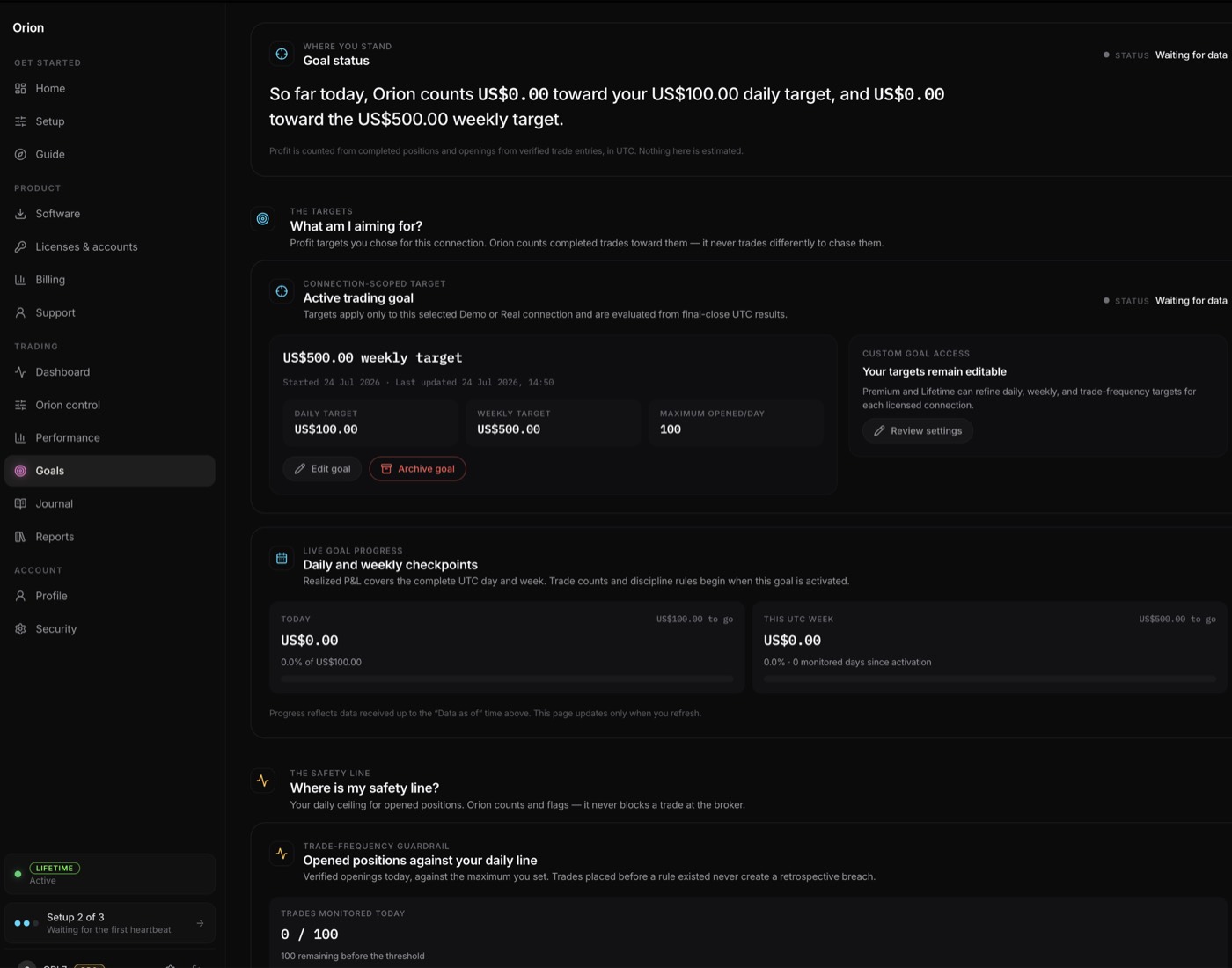
Monthly targetSet by you, updated with every closed day.
Trading days kept0%
Rules followed0%
Targets you set, and whether you kept to them.
EURUSDLondon+18.40
GBPUSDLondon−6.10
XAUUSDNew York+22.75
USDJPYNew York+9.30
This month143 verified entries
Every closed trade, with the session it ran in.
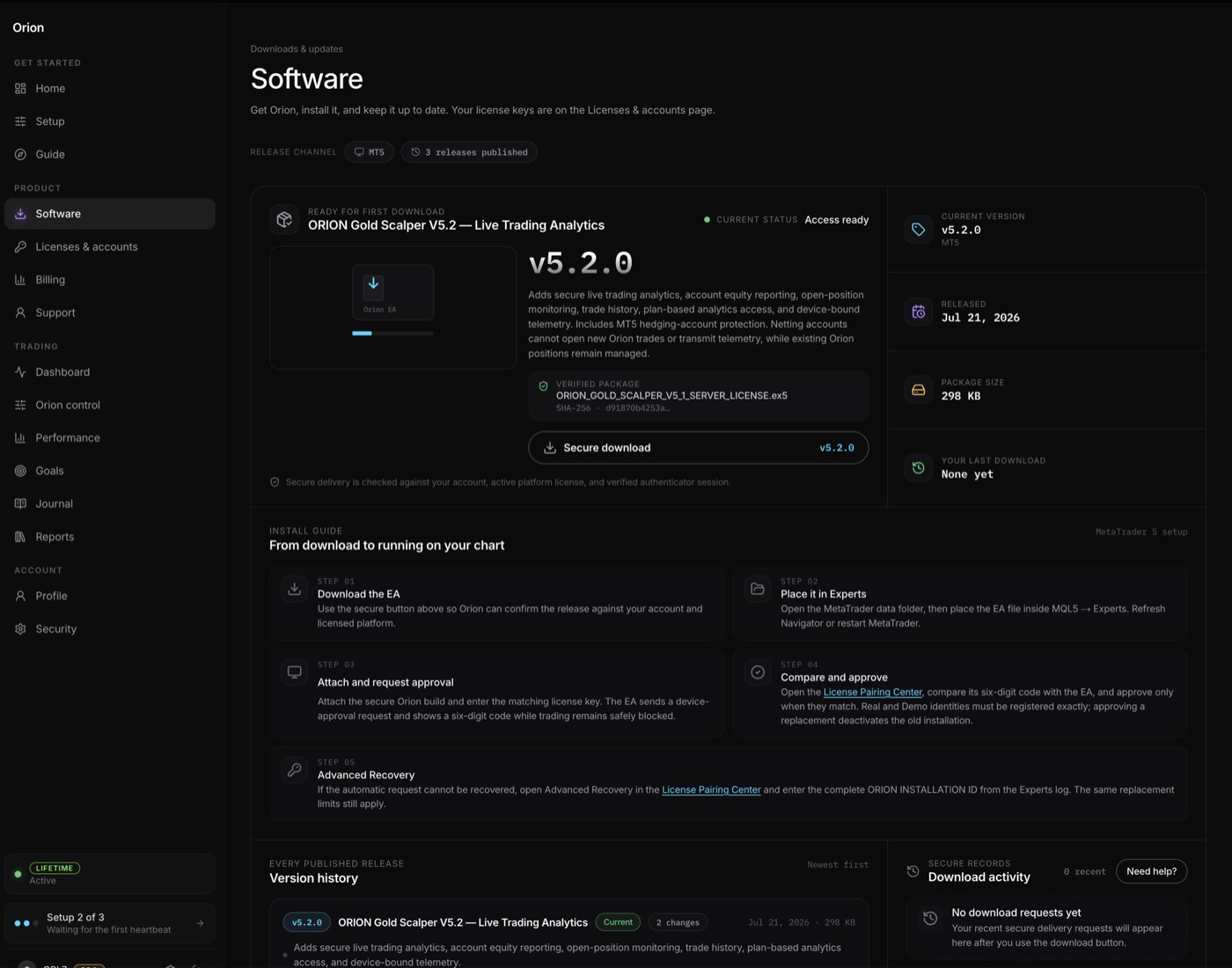
v5.2.0Current
The current release and every archived one, behind your login.
New device — Windows VPSWaiting for your approval
Nothing pairs, downloads or reveals itself without your code.
The engine
Six parts, each shown doing its job — in the panel’s own look, with the code that does it beside. Click any part to jump to it.
One at a time
ORION VERDICTWAITING SETUP
ORION LIVE > LONDON | SAFE | TRADING ACTIVE
Chapter 01: Reads the market
What it is thinking
up next · six chapters, 8.6s each
A preset that sets stop, target, spacing, trade caps, daily limits and basket exits together on Lifetime. On Premium it only changes the mode lot and the basket exits. Safe, Balanced, Aggressive, Beast, Fast scalping or Custom.
When on, the risk mode picks the lot size from the four mode lots below. When off, Lot size is used for every trade. In Fast scalping and Custom, Lot size is used either way.
The lot for every trade when the risk mode does not control it. The same lot is used for every trade in a basket; it never grows.
The lot used in Safe mode when the risk mode controls the lot.
The lot used in Balanced mode when the risk mode controls the lot.
The lot used in Aggressive mode when the risk mode controls the lot. Lifetime only.
The lot used in Beast mode when the risk mode controls the lot. Lifetime only.
No new entry once this many Orion trades are open on this chart’s symbol.
The most buy trades open at once. Read on Lifetime in Custom mode; Fast scalping uses the highest of this, Max open trades and the Fast scalping limits; other plans and modes set it for you.
The most sell trades open at once. Read on Lifetime in Custom mode; Fast scalping uses the highest of this, Max open trades and the Fast scalping limits; other plans and modes set it for you.
The target attached to each order, in gold pips. One pip is 0.10 in price.
The stop attached to each order, in gold pips. Once placed it is never moved.
How far price must move against the newest trade before Recovery adds the next one, before session and zone multipliers.
No new entry while the spread is above this. Always on.
When on, Recovery can add a trade even while pressure reads against the trend. Neutral pressure never blocks an add; the trend itself must still agree.
When the open basket’s profit reaches this amount, every trade is closed.
Once the basket holds the minimum number of trades, it closes at this small profit.
How many trades the basket must hold before the break-even exit applies.
Tracks the basket’s best profit. If profit gives back the step amount from that peak while the basket is still in profit, every trade is closed. Always on.
The basket profit that arms the trailing exit.
How much profit may fall back from the peak before the whole basket closes.
Once today’s closed and open profit reaches this, no new entries until it falls back under the target or a new day starts. Open trades stay managed.
Once today’s closed and open loss reaches this, no new entries for the rest of the day. A restart does not clear it. Open trades stay managed.
Whether the drawdown limit is read as a percent of balance or as money.
Equity below balance by this percent trips the drawdown protection.
Equity below balance by this amount trips the drawdown protection, when measured in money.
What a drawdown trip does. Close all, stop: every trade is closed and trading stops. Stop only: trading stops, open trades stay.
If one Orion trade is closed by its stop, the rest of the basket is closed too, then trading resumes. Always on.
Entries only inside an enabled session window. Always on.
Allow entries in the Asian window.
Allow entries in the London window.
Allow entries in the New York window.
Start of the Asian window, broker server hour.
End of the Asian window, broker server hour.
Start of the London window, broker server hour.
End of the London window, broker server hour.
Start of the New York window, broker server hour.
End of the New York window, broker server hour.
The buy or sell score, out of 100, needed for an entry during the Asian window.
The buy or sell score, out of 100, needed for an entry during the London window.
The buy or sell score, out of 100, needed for an entry during the New York window.
Multiplies the spacing between trades during the Asian window.
Multiplies the spacing between trades during the London window.
Multiplies the spacing between trades during the New York window.
The period of the 4-hour ATR used to measure volatility.
Below this ATR, in pips, the volatility points are not added to the scores.
Above this ATR, in pips, the volatility points are not added to the scores.
A 4-hour candle whose body is at least this percent of its range adds 15 points to its side.
Target per order in Fast scalping mode. Lifetime only.
Stop per order in Fast scalping mode. Lifetime only.
Spacing between trades in Fast scalping mode. Lifetime only.
Trade cap in Fast scalping mode. If Max open trades is higher, that wins. Lifetime only.
Basket profit target in Fast scalping mode. Lifetime only.
Basket profit that arms the trailing exit in Fast scalping mode. Lifetime only.
While on, no new entries at all. Open trades stay managed. Orion has no news calendar; you flip this yourself.
Orion control
This is the panel from your portal, rebuilt with the same components and the same rules. Drag a limit. Raise the risk mode and watch what it asks you for.
1
100
Tightening applies quietlyLowering a limit is never a risk increase, so it just saves.
Raising one asks twiceThe confirmation is keyed to the exact value. Edit it again and the confirmation is void.
Changes wait for a flat basketPausing entries applies at the next check-in; every other setting waits until no Orion trade is open.
Demo · nothing here reaches an account
Requirements
09:41
Positions
XAUUSD buy 0.014472.937 → 4472.937
0.00
Not required a different brokerAPI keys or passwordsany codinga second subscriptiona VPS from us
Brokers
Any broker with MetaTrader 5, a hedging account and a gold chart named XAUUSD or GOLD will do. These five are the ones we suggest when clients ask. We are a partner of all five.
Check your accountPartner links. The broker may pay us. These brokers do not endorse Orion. Orion is software, not a broker and not financial advice.
From the setup guide
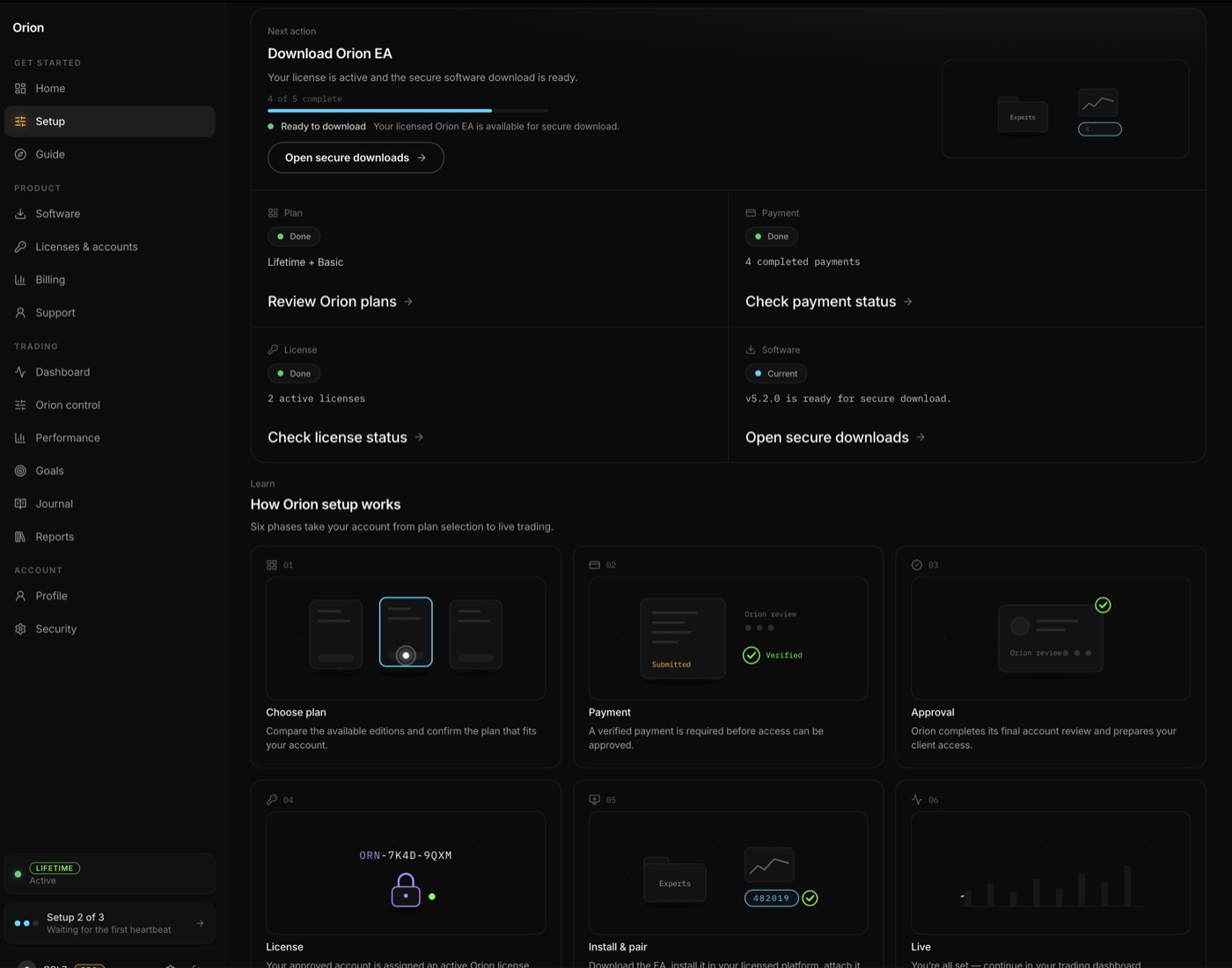
Eight steps, from the secure download to the first tick. Two of them below; each shows the screen in front of you at that point.
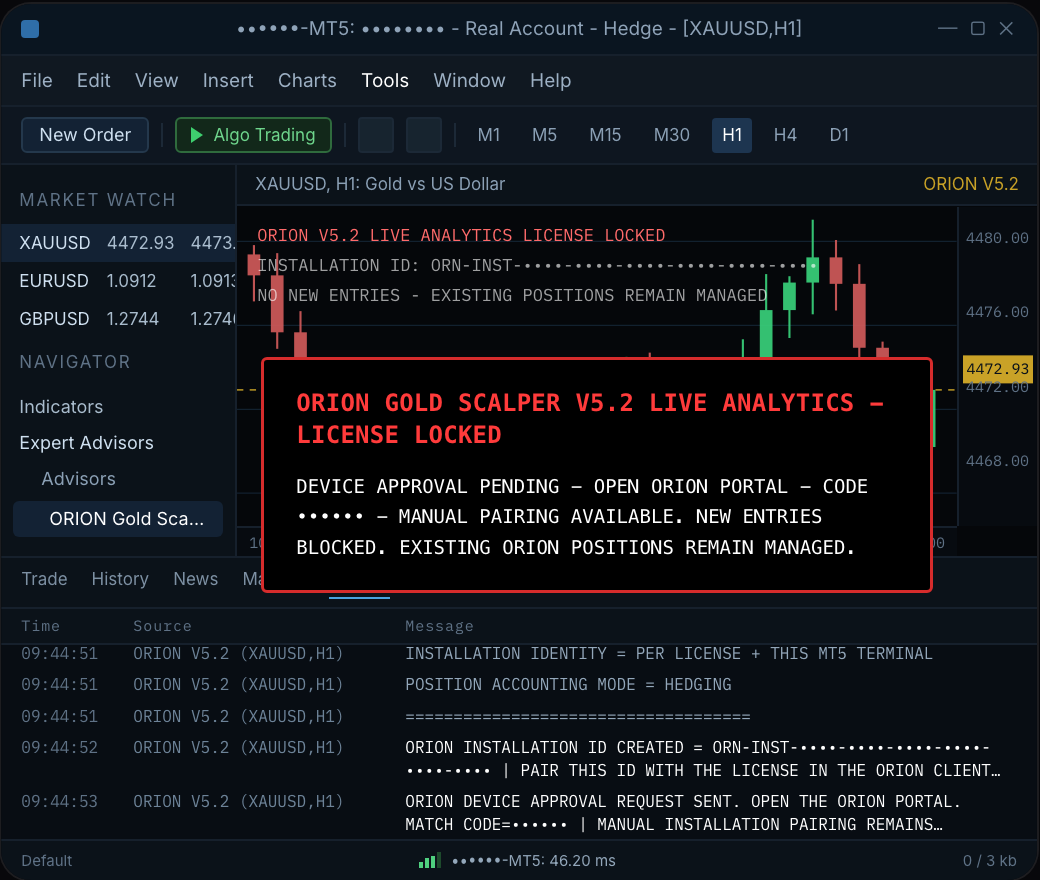
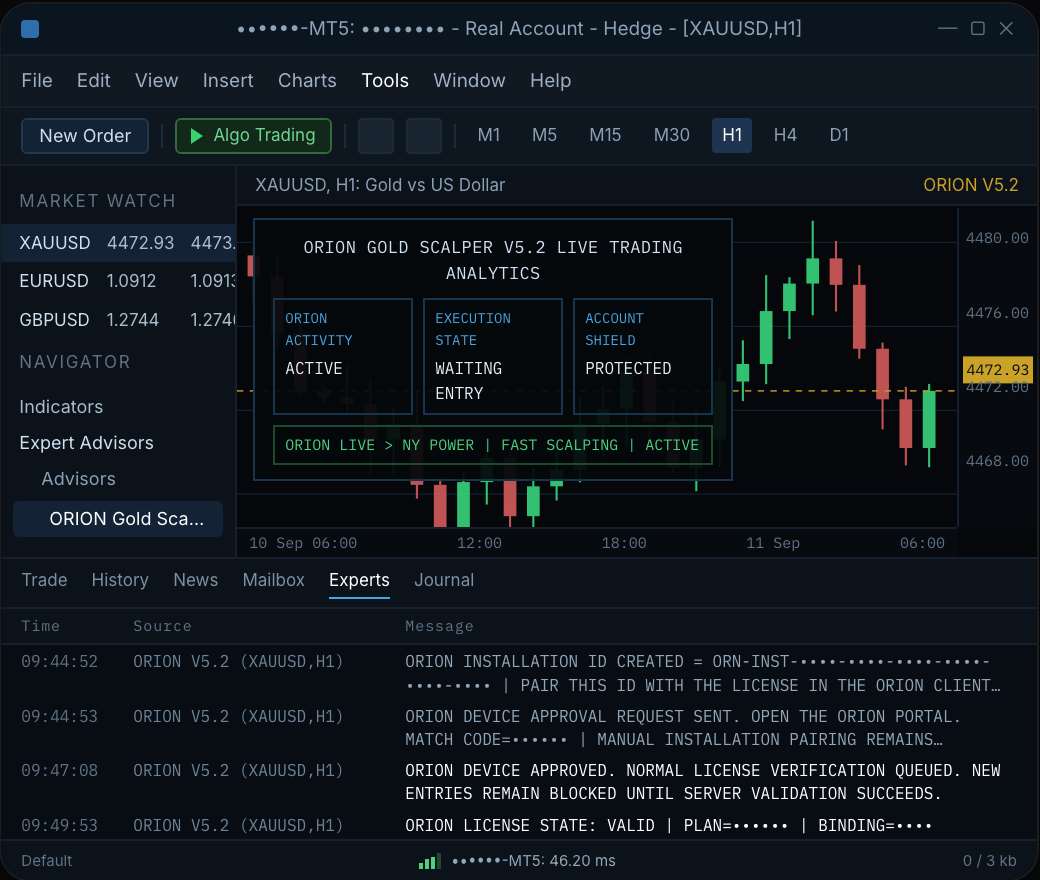
Sessions & news
The map below runs on UTC. Orion does not: it reads your broker’s server clock, and on that clock its windows are Asian 0–7, London 7–13 and New York 13–22. Most brokers run two or three hours ahead of UTC, so check yours in MetaTrader before you judge the timing.
News calendar · your local time
Every high-impact release worldwide, plus all US data — the events that move gold. F forecast · P previous — an actual above forecast usually reads USD strong ▲, below reads USD weak ▼. Orion does not read this list. It is here so you can flip the news switch in time.
News switch
Next high-impact
—
Orion has no news reader. Flip the switch before the print, flip it back after. Open trades stay managed.
Last release ·
XAUUSD swung — about pips — in minutes around the print. The kind of move the switch is for.
Earlier this week
Sessions
Asia · Tokyo
Tokyo hours belong to Lifetime. On every other plan Orion sleeps here — no overnight surprises.
Lifetime
London
The session every edition trades. Orion only opens inside its window.
BasicPremiumLifetime
New York
Premium and Lifetime add the New York window — and the overlap, the deepest liquidity of the day.
PremiumLifetime
What clients say
Real Telegram messages, shown exactly as they were written, with permission. We went through 845 screenshots and kept what people said about using and buying Orion. Nothing about money.
It did exactly what you said it would do. ngl I’m impressed !
This is one of a kind EA I highly recommend it to anyone who wants to make their trading experience to the next level and let this EA do all of the heavy lifting.
I want purchase more basic plan. I want scale up until can buy lifetime plan
Help me get another basic plan pleas can i pay to same address?
wow!! it works as what u have advertised..
Your bot it’s so INCREDIBLE bro.. I just don’t know when to turn it ON and OFF
Can i have another basic license please sir?
Orion Gold Scalper works like a charm Boss , thank a lot 🤩🤑
tq for ur advise sir.. running smoothly🙏🙏🙏🫡🫡
I was so worried about getting scam but I pushed through thank you I want to buy lifetime right now
i want to order another 3 basic plan..
Thanks a lot for sharing such outstanding EXPERT ADVISOR.
I can say im impressed with Orion
It worked bro I want another plan at monday good job 👏
monday market very slow and i trust at orion 💪
I must say that I’m really impressed how the bot works. It Worked as described. Where were you guys this whole time
🔥my confidence in this bot is unmatched at this point! Lol Definitely getting lifetime 🙌 wow! 🤯
Amazing work my friend
Can I buy one more basic plan
It works well, I just need to keep an eye on it :D
I would like to ask if I can renew the plan?
Bro your bot is amezing
I want buy more basic plan
Im run auto trading and go sleep..
thank you for your kindness and professionalism🙏❤️ ... now I think it’s perfect .... thank you
God bless you for this awesome forex machine
It’s working on a real account.
Hi sir, your bot is awesome 😭
I think i want to buy lifetime plan
Plans
One licence, one MetaTrader 5 account, one active device.The editions differ by how long the licence runs.Prices are in US dollars.
$50/ 30 days
Focused London-session automation with Orion’s Safe profile.
Daily profit stop
$50
Trading window
London
Open positions
2
$329/ once
The complete configurable Orion V5 control set.
Daily profit stop
No cap
Trading window
All supported
Open positions
Set it yourself
Compare every edition 30 features side by side, including what each one limits
How buying works
The crypto checkout is automatic. Skrill is not — ask support for the Skrill address, send the receipt, and a person confirms it. Either way a person answers before and after you buy.
How delivery works
There is no public file. After you buy, it comes from the Software page in your client portal, in three steps.
Questions
The things people ask before they buy — including the one most sites leave out.
The documents
Before you buy
Gold, and nothing else. Orion runs on one gold chart in MetaTrader 5 — a chart whose name has XAUUSD or GOLD in it. Any broker with MetaTrader 5, a hedging account and that chart will do. There are five we suggest when clients ask. See the brokers
Yes, or a machine that does. Orion runs on the PC that stays on; the phone only checks the account. Your own PC left running works, or a Windows VPS. A VPS from us is not required. See what you need
Yes. Every edition includes a demo account, and you can run Orion on it for as long as you want before pointing it at a live account. See what each edition includes
Orion runs one risk profile at a time — Safe, Balanced, Aggressive or Fast scalping, with Beast and Custom on Lifetime. Each sets its own stop, target, lot size and daily limits; Fast scalping, for example, runs a tighter stop than Aggressive. Basic runs Safe. Premium adds Balanced. The mode changes how the EA trades, not how much it makes; nothing here is a performance figure. See the risk modes
Through a person, while the automatic checkout is being finished. Pick an edition, message Orion on Telegram, and they send the payment address — crypto or Skrill. You send the receipt, they confirm it against your order, and your licence is issued to your account.
It depends on timing. A request that reaches us before your licence, download or other access has been assigned or delivered may be eligible for review. Once a licence has been assigned, activated, downloaded or bound to an account, the order is normally not eligible for a change-of-mind refund. A confirmed technical issue that prevents use in a compatible environment is handled separately: send the diagnostic information we ask for and give support a reasonable chance to fix it; if it cannot be fixed, the remedies are reviewed under the policy and the law that applies. Duplicate or incorrect payments are reviewed one by one. Where a crypto refund is approved, network fees and other third-party costs may be deducted. Requests go to support@orionscalper.com. Read the refund policy
No. Payment does not guarantee trading results. Trading carries real risk and losses are possible — that is true of Orion and of every other tool. Read the risk disclosure
After you buy
Your licence key and a set-password link arrive by email the moment the network confirms. If the email is missing, use Forgot password on the login page — it sends a fresh link. Sign in with the same email and the licence is on your account. Go to the login page
Basic runs 30 days and Premium 90. To carry on you repurchase. A Lifetime licence never expires and never renews. Compare licence lengths
One licence pairs to one device. A copied EA file cannot claim your licence, and a new device waits for your approval before it works. See how pairing works
Every position Orion opens is tagged with its magic number, and it counts, manages and closes only its own. A trade you placed by hand, or another EA’s, is left alone. See what Orion leaves alone
You request a protected recovery. Orion contacts you only on an address already attached to your account, and a person reviews it. Recovery never changes a licence, trading account, payment record or password. Recover your authenticator
Support
The same people who verify payments answer questions before you buy. No bot, no ticket queue.
Payment details come from the checkout page, or from Orion support on @authentic_admin or support@orionscalper.com — no other account, ever. Orion never asks for your portal password or your broker password.







 USDT
USDT USDC
USDC BTC
BTC ETH
ETH